Subscription products help Shopify merchants generate steady revenue and boost customer loyalty. Instead of one-time sales, they encourage repeat purchases through convenience and added value.
And it’s time to actually apply it.
Once you install both apps from the Shopify App Store, make sure to connect your store to Recharge, and once done, all of your products will automatically transfer to Recharge.
This guide will also help you to set up Recharge for you.
Create the Subscription Plan
Once your account in Recharge is set up, click on the “Products” section on the left side bar menu and then choose the product you want to create the subscription plan for. You can also just search for the specific product with the search bar.
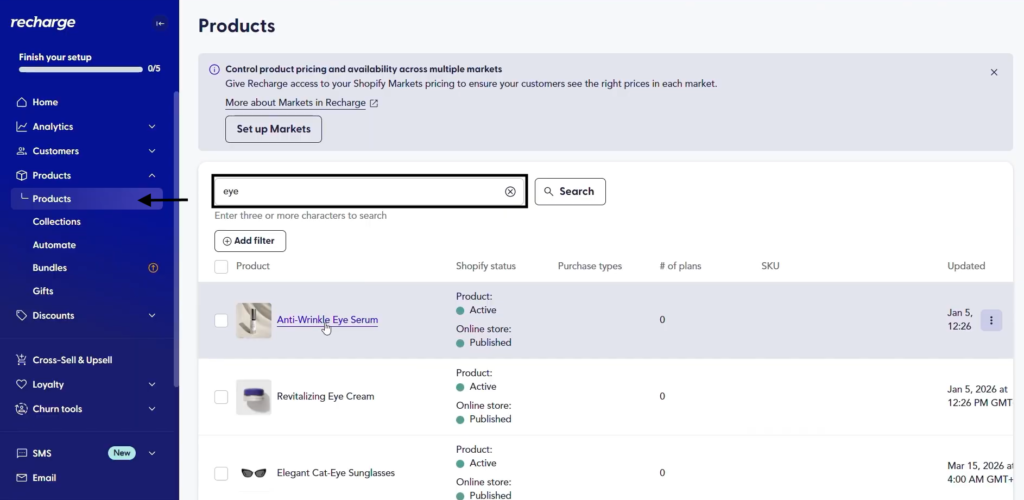
Then click “Create Plans” and then “Add another plan.”
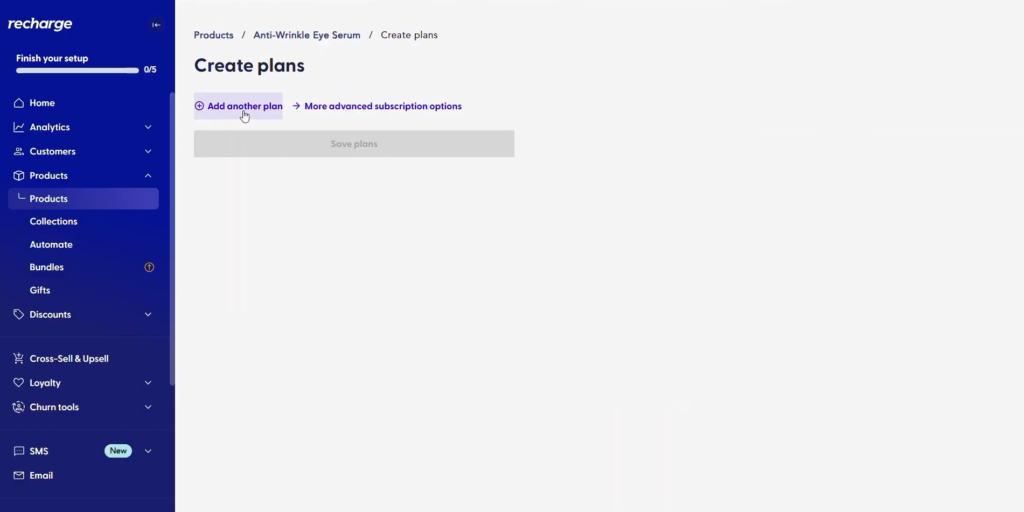
Then you’ll see multiple options of subscription plans you can choose from, choose one, and then move to configuring the settings.
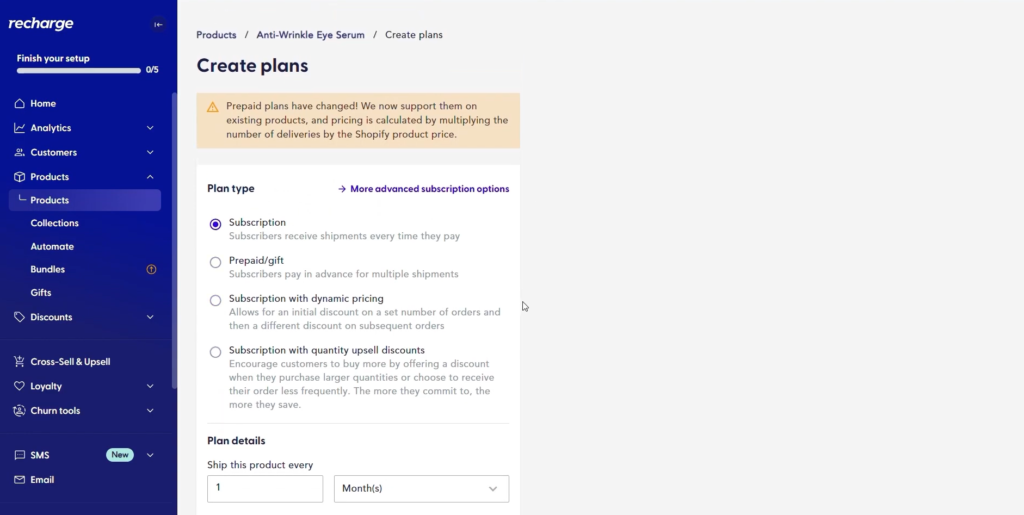
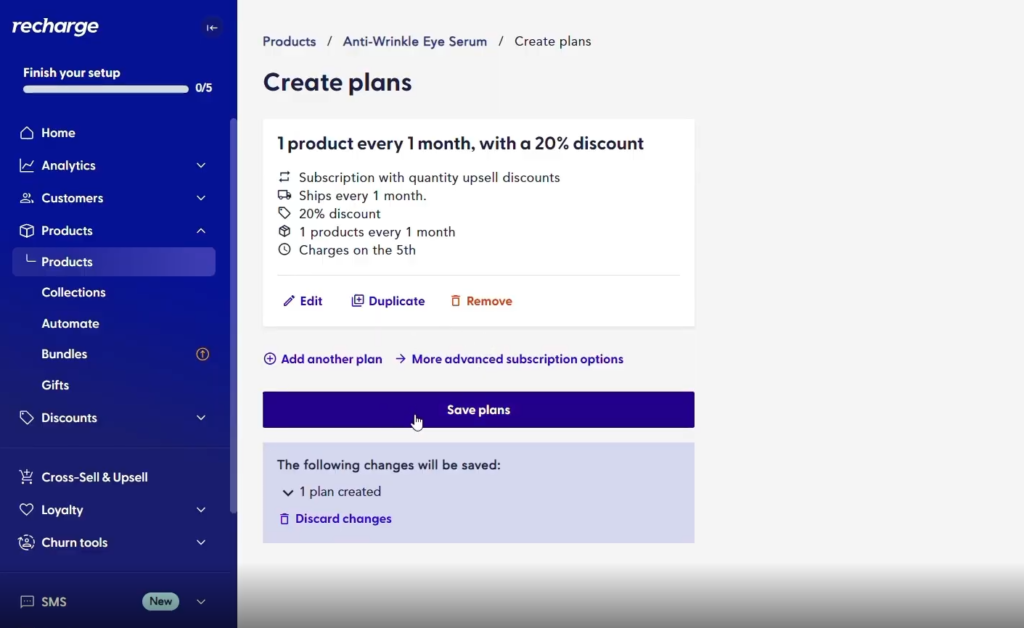
Fill out all of the information about the plan, like the name, the frequency of the plan, the quantity of the product, and if you’d like to add a discount with that.
And then once you’re done with that, just click “Save Plan.”
Step 3 – Connect the Quiz to Recharge
If you have multiple quizzes in your store, choose the specific quiz for which you would want to enable product subscription and go to the integrations tab in your quiz dashboard.
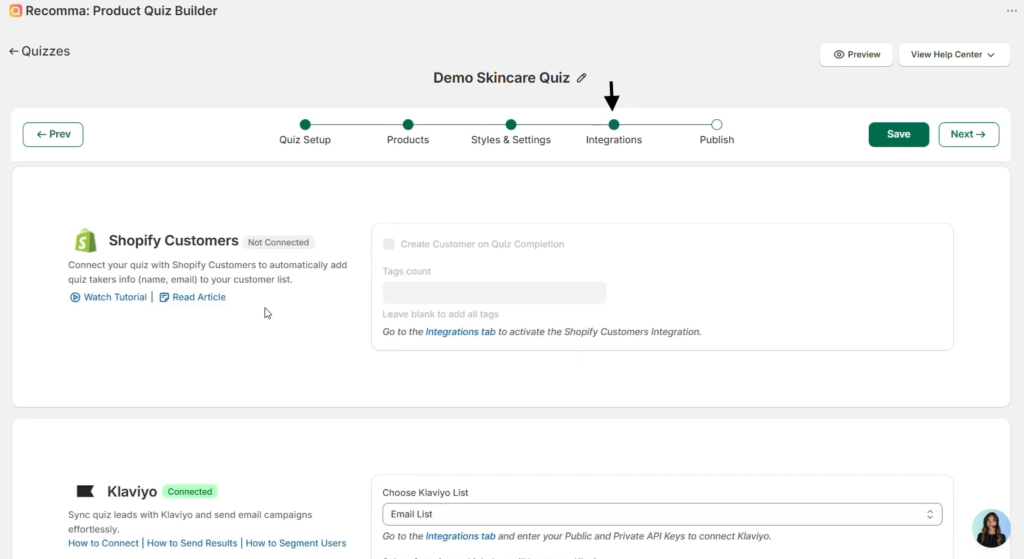
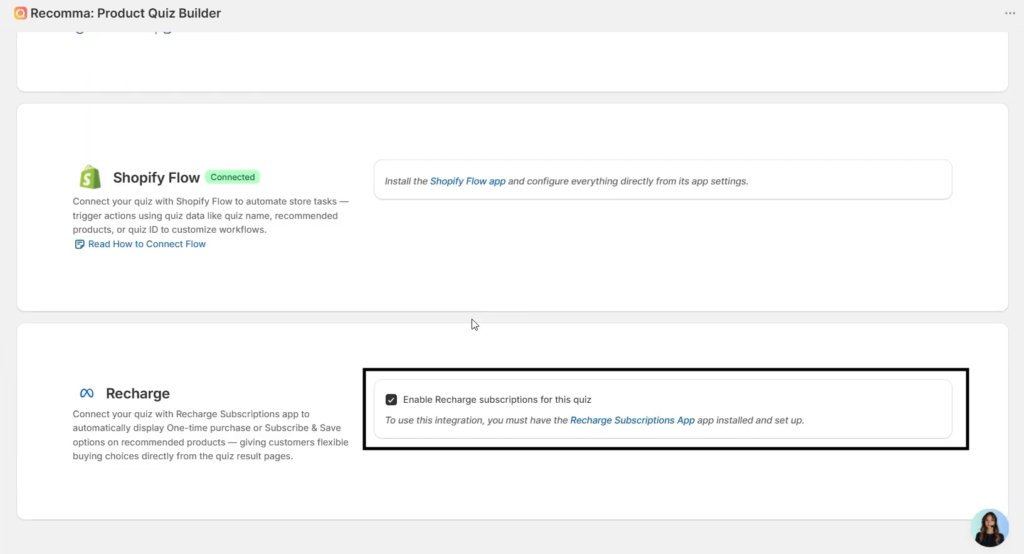
Scroll down a little and tick the box next to Recharge that says “Enable Recharge subscriptions for this quiz.”
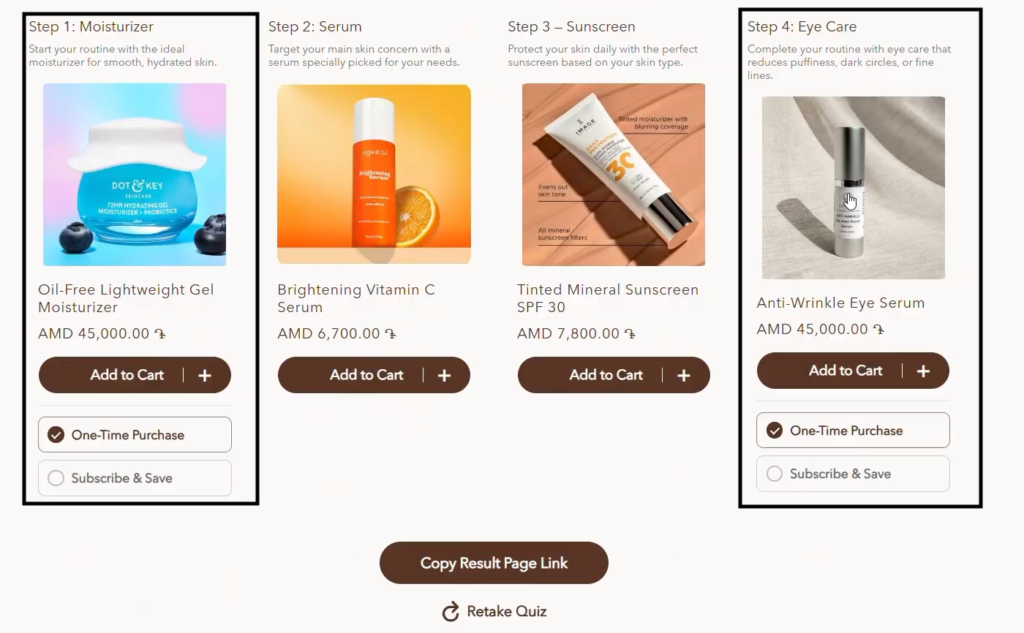
Step 4 – Go to your “Products Tab” and the product that you created the plan for, and then this is what your final result should look like.
And that’s it! If you still have any difficulties, you can also follow the video tutorial below.


