This guide explains how to add an Email question to your quiz and configure its settings. The Email question type is used to collect customer email addresses, which can then be used for follow-up communication, integrations, and automation workflows.
The sections below cover both adding a single Email question and collecting multiple contact details using a grouped form layout.
Step-by-step quick summary: How to Add the Email Question Type
- Add a new question.
- Choose the Email from the question type pop-up.
- Configure the settings that you want.
How to Add the Email Question Type and Configure Settings in Detail. #
Step 1: In your quiz dashboard, click the “Add Question” button.
Step 2: A popup with all the question types will appear, and from there, click “Email”
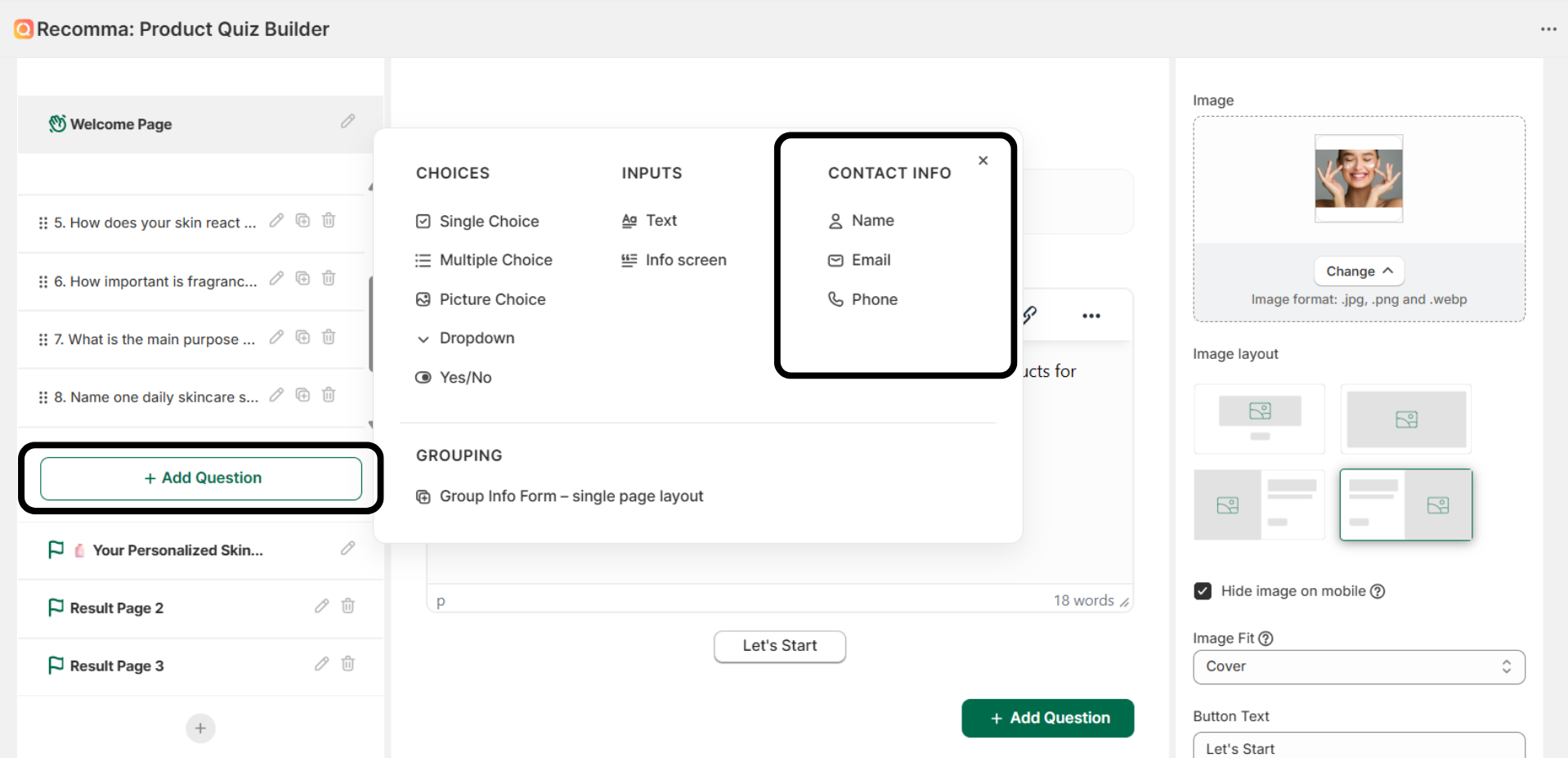
Step 3: That’s it. Now you can change the title of the question, and you’re done.
Important Note: Keep in mind that each quiz can have oneemail question.
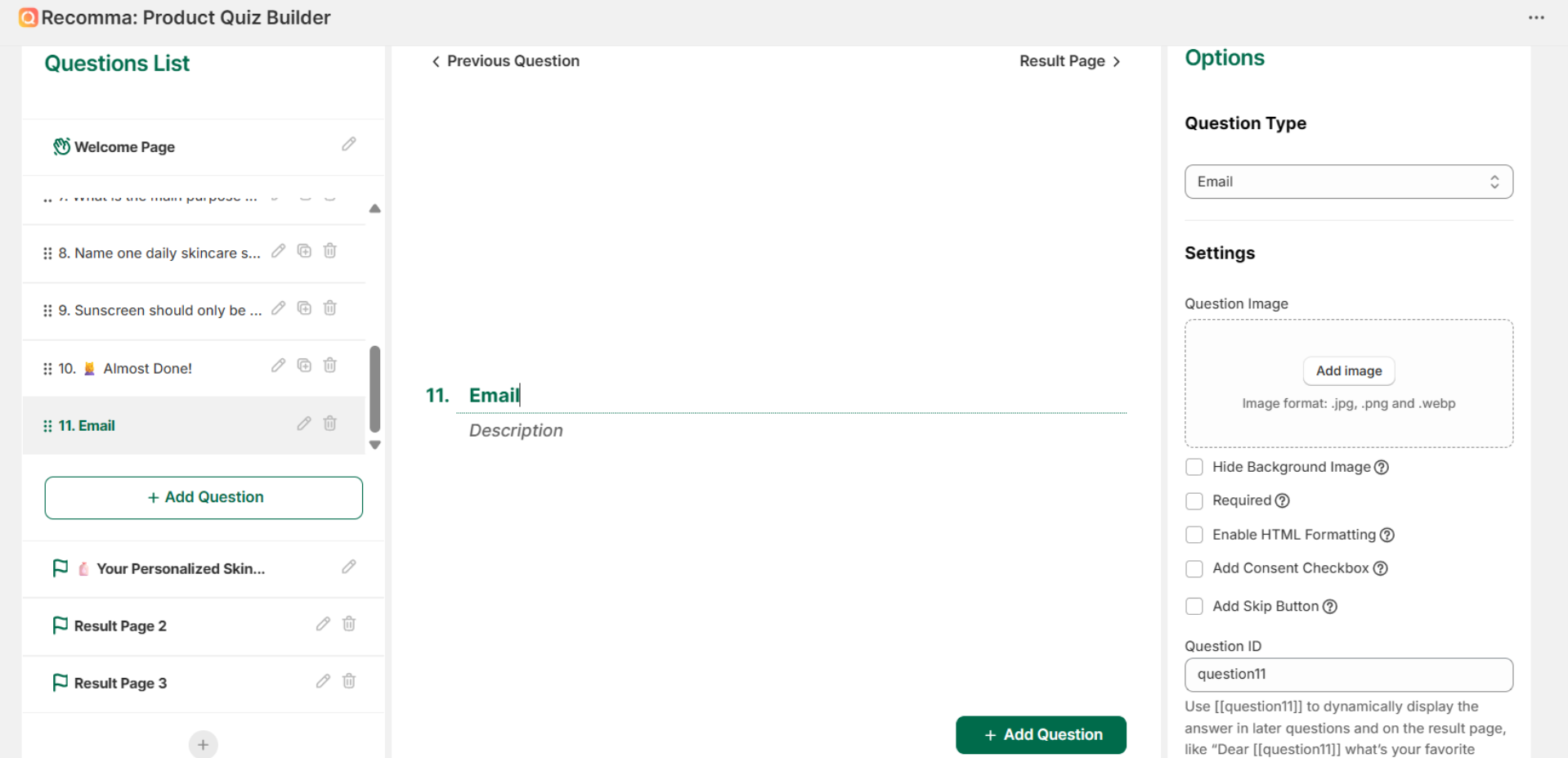
Configuring the Email Question Settings #
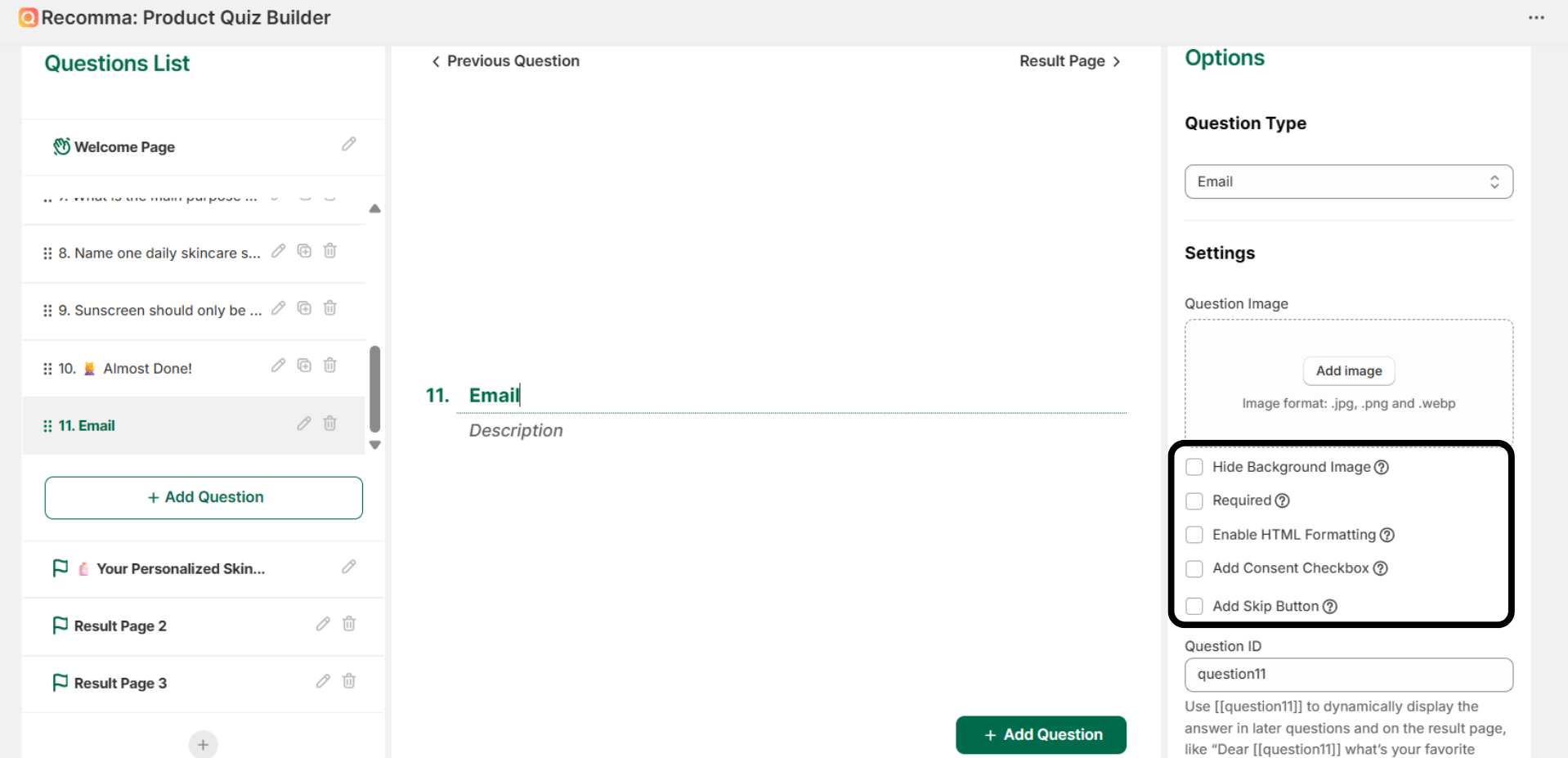
- Hide background image – Enable this option to remove the background image from the question page.
- Required – Make this question mandatory to answer.
- Enable HTML Formatting – When turned on, basic HTML tags (e.g., line breaks, bold) in your question’s title and description will be processed and displayed correctly.
- Add Consent Checkbox – Enable this to show a consent checkbox below the email input field.
- Add Skip Button – Enable this to show a skip button below the email input field.
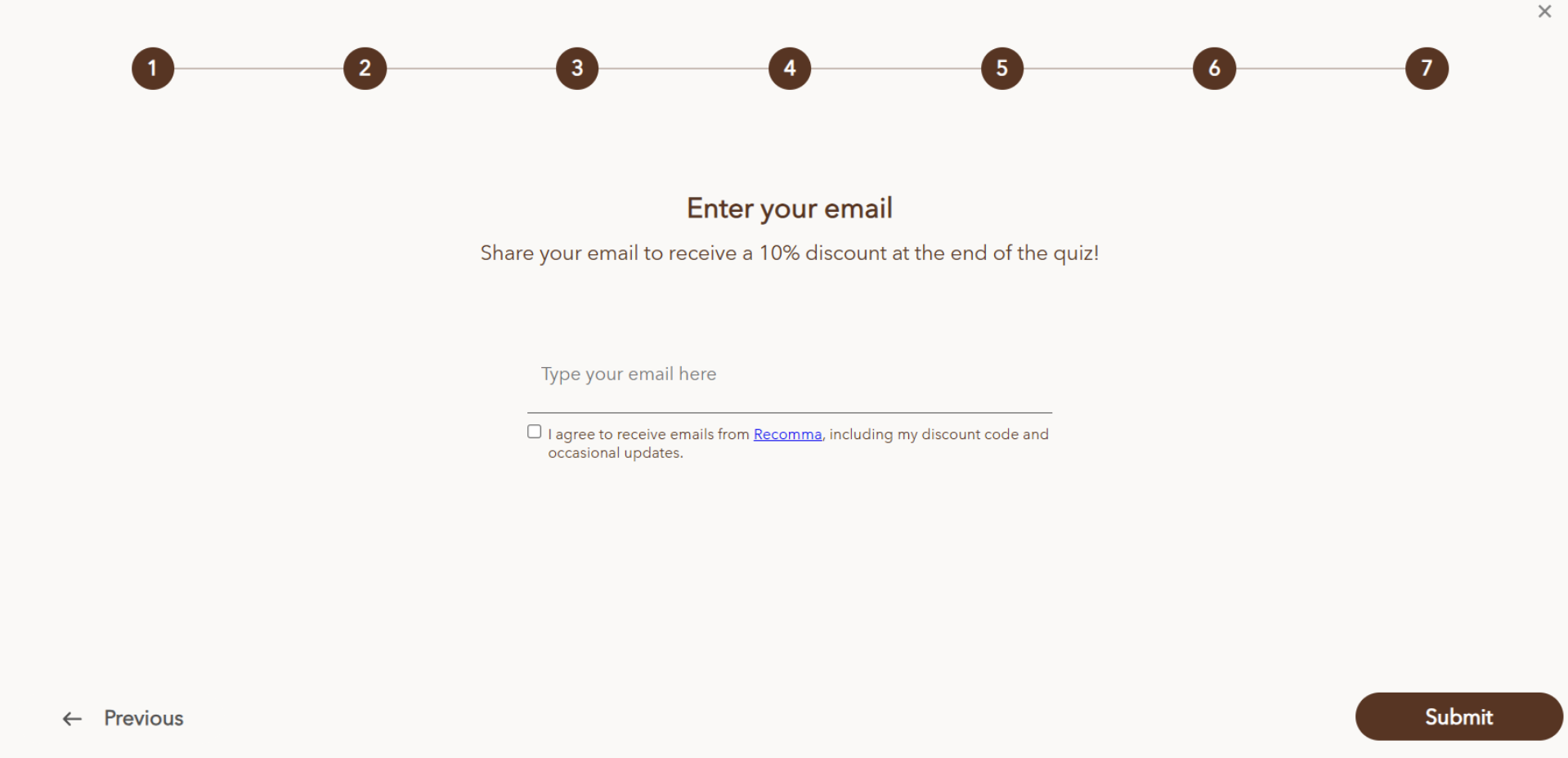
After all of these steps, this is what your final question might look like.
How To Have All Contact Information In One Single Layout #
If you want to collect all your users’ contact information in a single layout, you can!
Step 1: Click the “Add Question” button
Step 2: At the bottom of the popup, click “Group Info Form – single page layout”
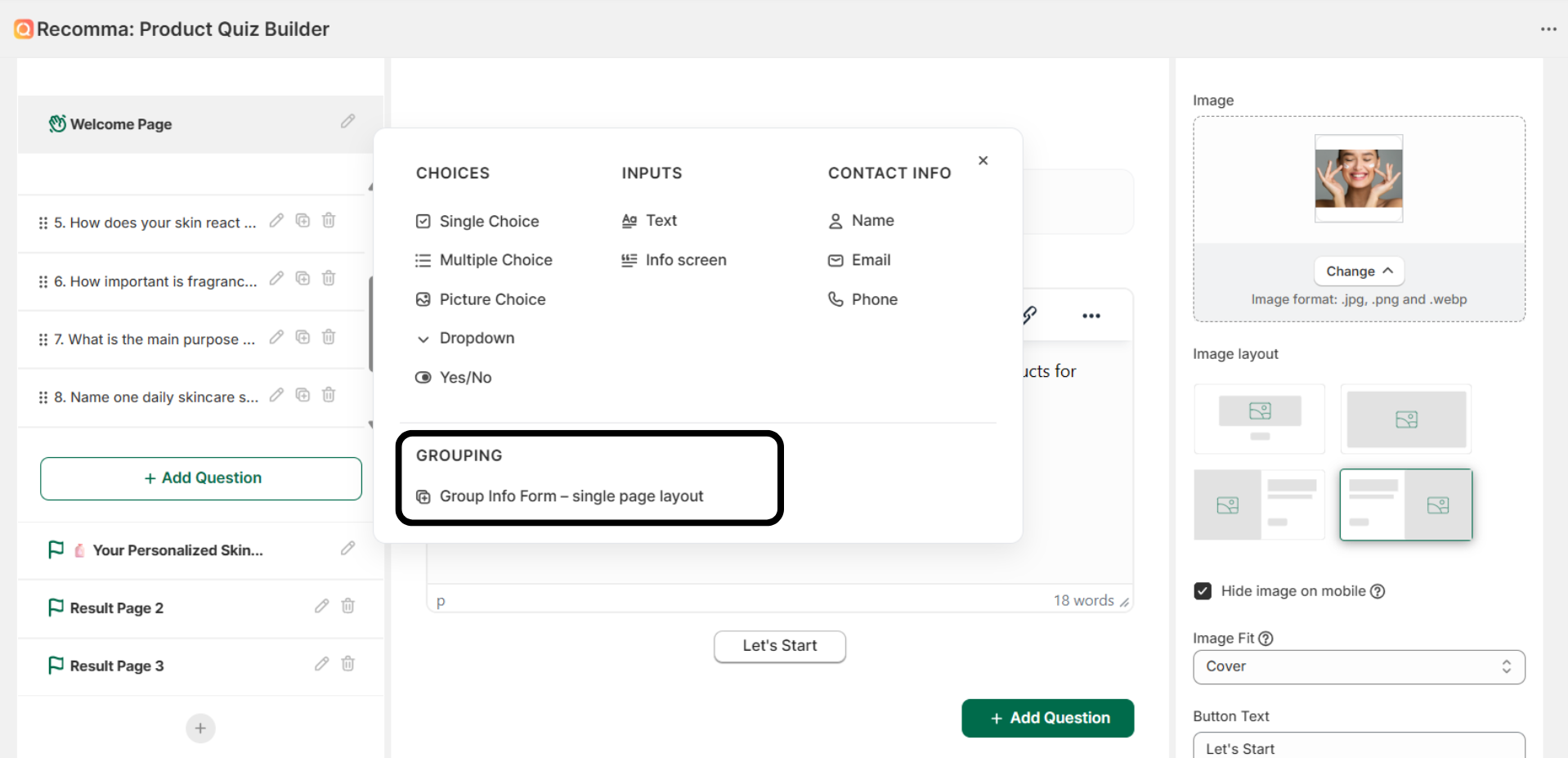
Step 3: From here, you can add all of the contact info questions you want to collect (email, phone, etc.)
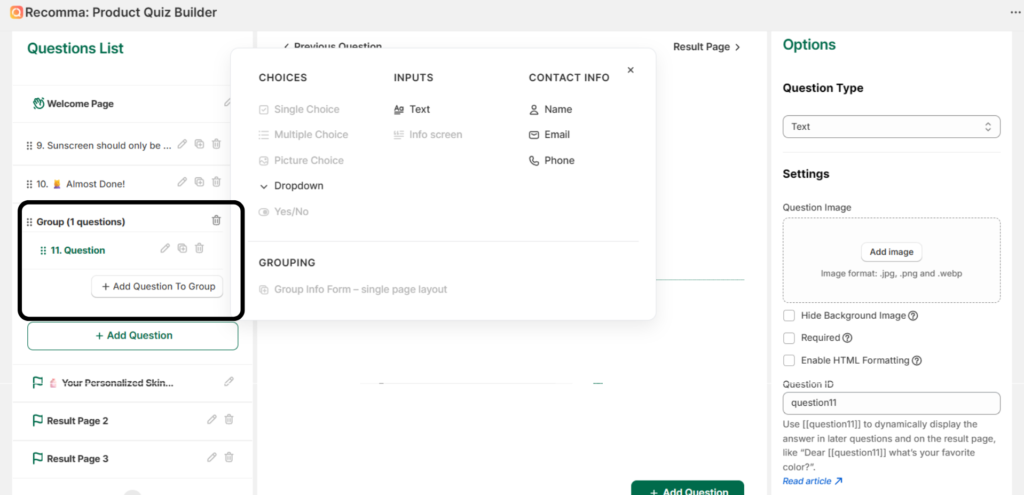
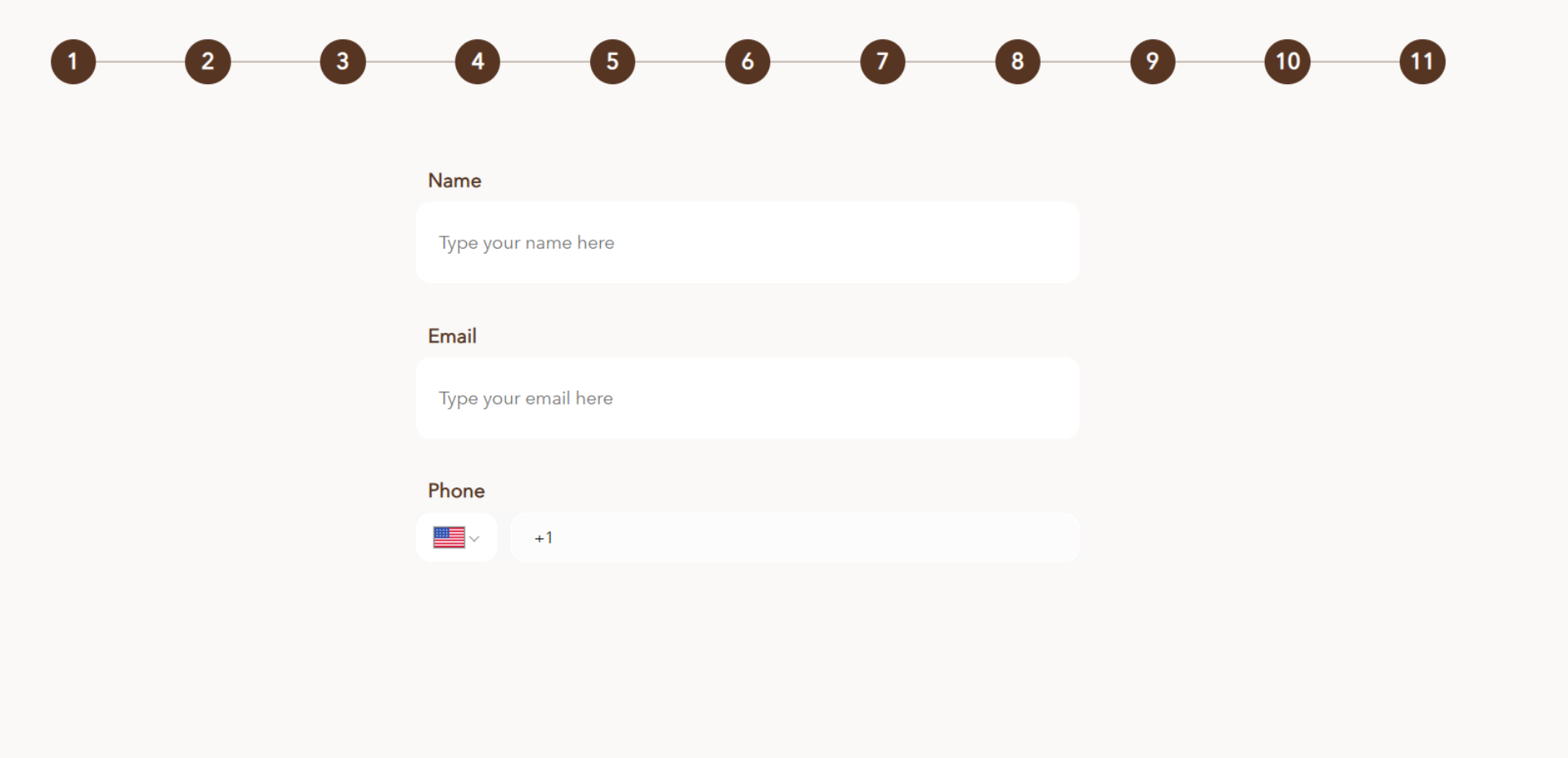
Step 4: Again, configure the settings to your liking, and you’re done. This is what the final result might look like.
Why Collect Emails in Your Quiz #
The Email question type allows you to collect user email addresses during the quiz. This is commonly used for lead capture, email marketing, and follow-up communication, such as sending results or recommendations. For that, Recomma allows you to use and integrate third-party tools such as Klaviyo, ActiveCampaign, Mailchimp, and Omnisend, and can trigger automations via Shopify Flow or Zapier.
By collecting an email, you can:
- Build an owned audience for email marketing
- Send results, campaigns, recommendations, and follow-ups
- Trigger automated flows in tools like Klaviyo
- Personalize future messaging based on user answers
- Turn anonymous visitors into identifiable leads


